
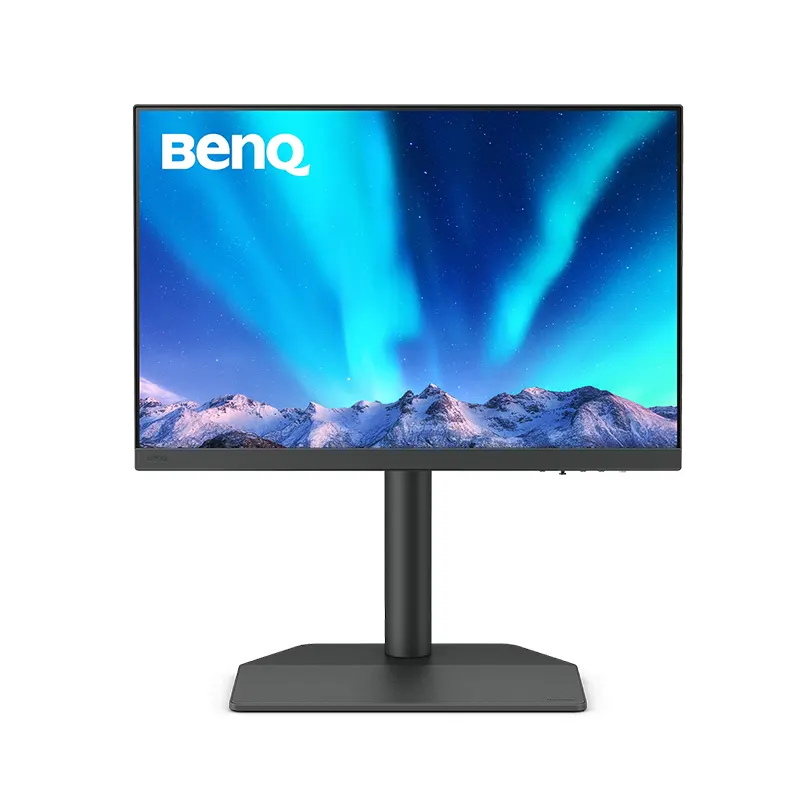
BenQ SW242Q 24.1-inch 2K 16:10 PhotoVue Photographer Monitor (99% Adobe RGB, 90W USB-C)
Key Specifications
- • 24.1-inch IPS display, 2560 x 1600 (2K) resolution, 16:10 aspect ratio, 60Hz
- • 99% Adobe RGB, 100% sRGB, 98% DCI-P3, Delta E ≤ 1.5, 10-bit color, 16-bit 3D LUT
- • Hardware calibration support with Palette Master Ultimate, Calman Verified, Pantone Validated
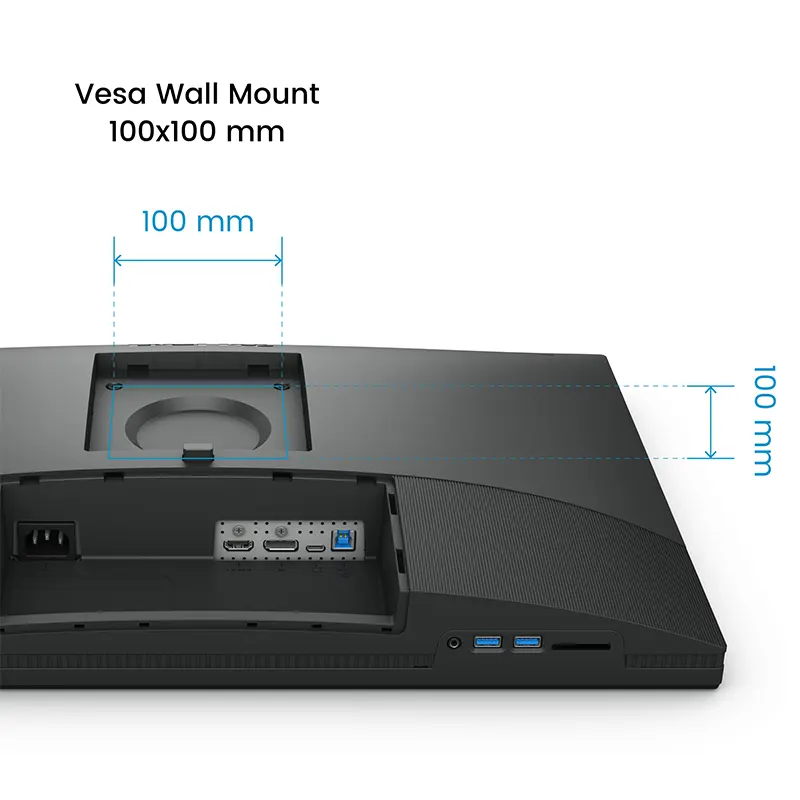
- • 90W USB-C, HDMI 2.0, DisplayPort 1.4, USB hub, SD card reader, headphone jack
- • 400 nits brightness, HDR10, TÜV anti-reflection matte panel, Gamut Duo, Black and White mode
Why shop from ONIN?
- 100% Authentic Products
- Official Warranty Support
- Easy Returns & Exchange
Free Express Delivery
Fast shipping on all orders
In-Store Pickup
Collect today — View on Map
| Brand | BenQ |
| Model | SW242Q |
BenQ SW242Q Price in Nepal: Rs. 86,999 for the 24.1-Inch 2K Adobe RGB Photographer Monitor
If you have been searching for the BenQ SW242Q and wondering about the real BenQ SW242Q price in Nepal, here is the answer: Onin Infosys lists the BenQ SW242Q monitor at Rs. 86,999. This is a purpose-built PhotoVue photographer monitor, not a general office display. It combines a 24.1-inch 16:10 IPS panel at 2560 x 1600, 99% Adobe RGB, 100% sRGB and 98% DCI-P3 coverage, a factory accuracy target of Delta E ≤ 1.5, and a 90W USB-C port that charges your laptop while it carries the video signal.
In Nepal, where photographers, wedding studios, print shops, architects and video editors often judge a monitor by how closely the screen matches the final print or export, that combination is hard to find in one compact 24-inch body. The BenQ SW242Q monitor price reflects that specialist engineering, and the sections below explain what each feature does for your work.
What Is the BenQ SW242Q 24.1-Inch PhotoVue Monitor and Who Is It Built For?
The BenQ PhotoVue SW242Q belongs to BenQ's SW series, the line the company designs for photographers and color-critical creators. Its job is to make what you see on screen predictable. When you retouch skin tones, grade a wedding album, prepare a catalogue for print or edit product photography, the screen should not lie to you.
It is built for wedding and portrait photographers in Kathmandu and Pokhara, e-commerce sellers who photograph their own products, graphic designers sending files to offset or digital printers, illustrators and digital artists, and video editors who need a trustworthy reference display beside a laptop. It also suits MacBook users who want a clean one-cable desk.
BenQ SW242Q 2K 16:10 Display: Why 2560 x 1600 Is Better Than You Think
A common question is whether the BenQ SW242Q is 4K. It is not. It is a 2K (2560 x 1600) 16:10 monitor at about 125 PPI, and that is a deliberate choice for a 24.1-inch panel. At this size, a 4K panel forces you to run heavy display scaling to keep menus readable, and at 100% scaling the interface of Lightroom, Photoshop or Premiere Pro is comfortable to read.
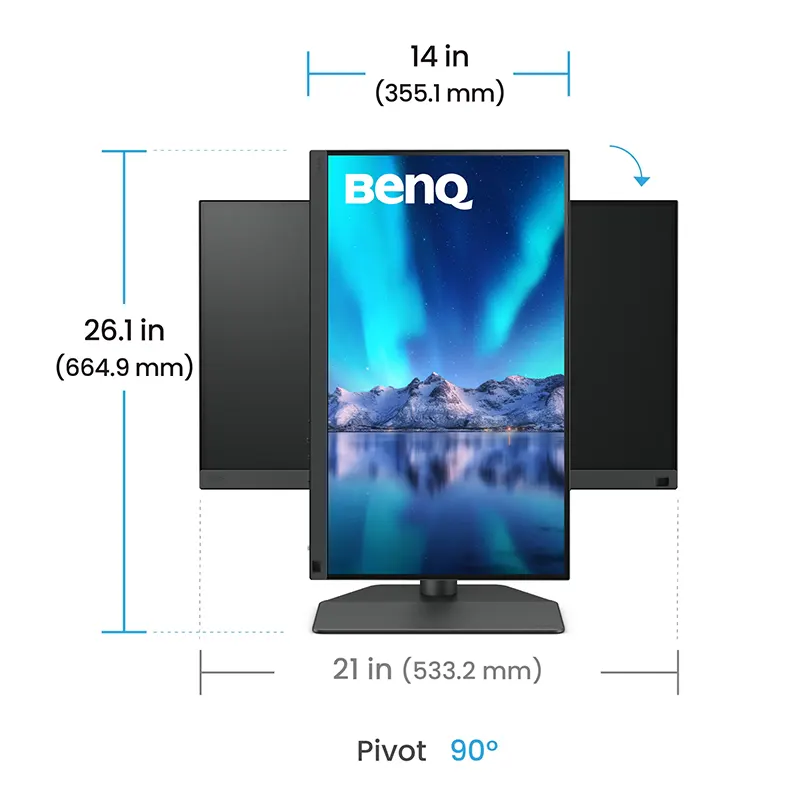
The extra height of the 16:10 aspect ratio gives you 160 more vertical pixels than a standard 2560 x 1440 screen. That means more timeline in Premiere Pro, more panels in Photoshop, more rows in a spreadsheet and more of an A4 document without scrolling. Photographers editing vertical portraits also notice the benefit immediately.
99% Adobe RGB and 98% P3: Color-Accurate Monitor for Photo Editing in Nepal
Color is the reason this monitor exists. With 99% Adobe RGB, you can see the wide range of greens and cyans used in print workflows. With 100% sRGB, you can verify web and social media output. With 98% DCI-P3 / Display P3, you can work with the wider gamut found in modern phones, Apple displays and video workflows.
The panel supports 10-bit color processing (1.07 billion colors) and a 16-bit 3D LUT, which keeps gradients such as skies, studio backdrops and skin shading smooth instead of banded. Each unit is factory tuned toward a Delta E ≤ 1.5 average, and BenQ's uniformity technology evens out brightness and color across the screen. The monitor is also Calman Verified, Pantone Validated and Pantone SkinTone Validated, which matters when a client approves a portrait and expects the print to look the same.
Hardware Calibration Monitor in Nepal: Palette Master Ultimate Explained
Most monitors can only be calibrated in software, which adjusts what your graphics card sends. The BenQ SW242Q supports hardware calibration through Palette Master Ultimate, which writes the correction directly into the monitor's internal 16-bit 3D LUT. The result is cleaner gradients and more stable accuracy over time, with no dependence on your operating system's color pipeline.
A practical note from real workflows: hardware calibration needs a compatible colorimeter or spectrophotometer, which is sold separately. If you only edit casually, the factory calibration is already strong. If you deliver client work or print professionally, budget for a calibration device and recalibrate periodically.
90W USB-C Monitor for MacBook and Laptops: One-Cable Desk Setup
The 90W USB-C port carries video, data and power over one cable. Plug in a MacBook or a USB-C laptop and it charges while it displays, and the monitor's USB hub and SD card reader become available to the laptop too. Thinner laptops usually have only one or two ports, so this saves you a dock.
Beyond USB-C, the monitor includes HDMI 2.0 and DisplayPort 1.4 inputs, so a desktop PC, a camera feed or a second laptop can share the same display. A headphone jack is built in. For a photographer, the card reader is the hidden hero: you can copy a shoot straight from the SD card to your drive without hunting for an adapter.
Anti-Reflection Panel, Uniformity Mode and Eye Comfort for Long Editing Sessions
The matte panel carries TÜV anti-reflection certification, which reduces glare from windows and ceiling lights. That is useful in typical Nepali studio rooms, home offices and shops with a mix of daylight and tube lights. The monitor delivers up to 400 nits of brightness for HDR10 content, while the Uniformity Mode runs near 180 nits for reference work. Note that the optional monitor hood (BenQ SH242) is sold separately and is worth adding if your room is bright.
Extra modes help the workflow: Gamut Duo lets you compare two color spaces side by side, and Black and White mode helps you judge tonality in monochrome work.
Real-World Use in Nepal: Dust, Voltage Fluctuation and Daily Studio Reliability
Color-critical gear lives in real rooms. In Kathmandu Valley, dust settles on screens quickly, so clean the matte coating with a dry microfiber cloth and avoid sprays. During monsoon humidity, keep the monitor in an air-circulated space and powered on regularly. Because Nepali power can fluctuate, plugging the monitor and your computer into a quality surge protector or stabilizer protects both. The SW242Q does not need a hot gaming-class cooling setup, because a 60Hz professional IPS panel runs far cooler than a high-refresh gaming display.
Is the BenQ SW242Q Good for Video Editing, Graphic Design and Gaming?
For video editing, the monitor is a reliable color reference with HDR10 support and wide P3 coverage, with a tall 16:10 canvas for timelines. For graphic design and printing, Adobe RGB coverage and hardware calibration make it an excellent proofing display. For gaming, it is not the right tool: it runs at 60Hz with a 5ms response time and has no Adaptive Sync. Choose it for accuracy, not for fast esports motion.
BenQ SW242Q vs Other Monitors: Is It Worth Rs. 86,999?
If you search for a cheap monitor in Nepal, there are many options below this price. But general-purpose monitors rarely offer full Adobe RGB coverage, hardware calibration, a 16-bit 3D LUT and Calman and Pantone validation together. Compared with larger 27-inch models, the SW242Q takes less desk space and gives a sharper 125 PPI image. If your work requires trustworthy color, this monitor can prevent costly reprints and client revisions, which is where the real value sits. If you only need a monitor for browsing and office work, a standard IPS display is the more economical choice.
Why Buy the BenQ SW242Q Monitor from Onin Infosys in Nepal?
Onin Infosys is a premium laptop and electronic hardware store focused on the Nepali market. When you buy the BenQ SW242Q from us, you get a genuine product, a proper purchase bill, warranty support guidance, and advice on pairing the monitor with your laptop, graphics workflow or calibration device. We ship to Kathmandu, Lalitpur, Bhaktapur, Pokhara and other cities across Nepal, and our team can help you choose between this monitor and alternatives before you pay.
- Genuine BenQ SW242Q with proper billing and warranty support.
- Transparent price: Rs. 86,999 with no hidden surprises.
- Nationwide delivery with careful packing for display products.
- Pre-purchase guidance for photographers, designers and video editors.
Order the BenQ SW242Q Monitor Online in Nepal Today
For serious photo and design work in Nepal, the BenQ SW242Q at Rs. 86,999 is one of the few compact monitors that delivers print-ready color accuracy, hardware calibration and a one-cable USB-C workflow in a single package. Add it to your cart, or contact Onin Infosys to confirm current stock and delivery to your location.
Check other BenQ monitors here
What is the BenQ SW242Q price in Nepal?
The BenQ SW242Q monitor price in Nepal at Onin Infosys is Rs. 86,999. Prices can change with the exchange rate and stock, so confirm availability with our team before ordering.
Is the BenQ SW242Q a 4K monitor?
No. The BenQ SW242Q is a 2K monitor with a 2560 x 1600 resolution in 16:10. At 24.1 inches this gives about 125 PPI, sharp enough for professional photo and design work without heavy display scaling.
Is the BenQ SW242Q good for photo editing?
Yes. It is built for photo editing, with 99% Adobe RGB, 100% sRGB and 98% DCI-P3 coverage, a Delta E ≤ 1.5 factory accuracy target, hardware calibration support and Pantone SkinTone validation.
Does the BenQ SW242Q work with MacBook?
Yes. Its 90W USB-C port sends video and power over a single cable, so a MacBook or any USB-C laptop with DisplayPort output can display and charge at the same time.
Is the BenQ SW242Q good for gaming?
It is not recommended for gaming. It is a 60Hz professional display with a 5ms response time and no Adaptive Sync. Choose a high-refresh gaming monitor if gaming is your priority.
What is the difference between hardware calibration and software calibration?
Software calibration adjusts the signal from your computer, while hardware calibration writes corrections inside the monitor's 3D LUT. Hardware calibration is more accurate and independent of the operating system. The SW242Q supports it through Palette Master Ultimate, and you need a compatible calibration device.
Is the monitor hood included with the BenQ SW242Q?
No. The BenQ SH242 monitor hood is an optional accessory and is not included. It helps block stray light in bright studios and rooms.
What ports does the BenQ SW242Q have?
It includes a 90W USB-C port, HDMI 2.0, DisplayPort 1.4, a USB-B upstream port with USB 3.1 downstream ports, an SD card reader and a headphone jack.
BenQ SW242Q vs a normal 24-inch monitor: what is the difference?
A normal 24-inch monitor is usually Full HD with sRGB coverage and no calibration support. The SW242Q offers a 2K 16:10 panel, Adobe RGB coverage, factory calibration, a 16-bit 3D LUT and hardware calibration, so colors match your prints and exports.
Do I need a calibration device to use the BenQ SW242Q?
No, it is factory calibrated and ready to use. A colorimeter is only needed for hardware calibration over time, which is recommended for professional print and client work.
Is the BenQ SW242Q available in Kathmandu and Pokhara?
Yes. Onin Infosys sells the BenQ SW242Q online in Nepal and delivers to Kathmandu, Lalitpur, Bhaktapur, Pokhara and other cities. Contact us to confirm delivery time for your location.
Is the BenQ SW242Q genuine with warranty from Onin Infosys?
Yes. Onin Infosys sells genuine products with a proper purchase bill and warranty support. Contact our team for the exact warranty terms of this monitor before ordering.
Can I use the BenQ SW242Q with a desktop PC or camera?
Yes. The HDMI 2.0 and DisplayPort 1.4 inputs connect a desktop PC, a second laptop or other video sources, and the USB hub with the SD card reader helps you move files from your camera card.
How should I protect the monitor in Nepal's dust and power fluctuation?
Wipe the matte screen gently with a dry microfiber cloth, avoid liquid sprays, keep the room ventilated during monsoon humidity, and connect the monitor through a surge protector or stabilizer to guard against voltage spikes.
Who should buy the BenQ SW242Q monitor?
It is best for photographers, retouchers, graphic designers, print professionals, illustrators and video editors who need accurate color. If you only browse or do office work, a standard IPS monitor will be more economical.
Similar Products
You may also like these items
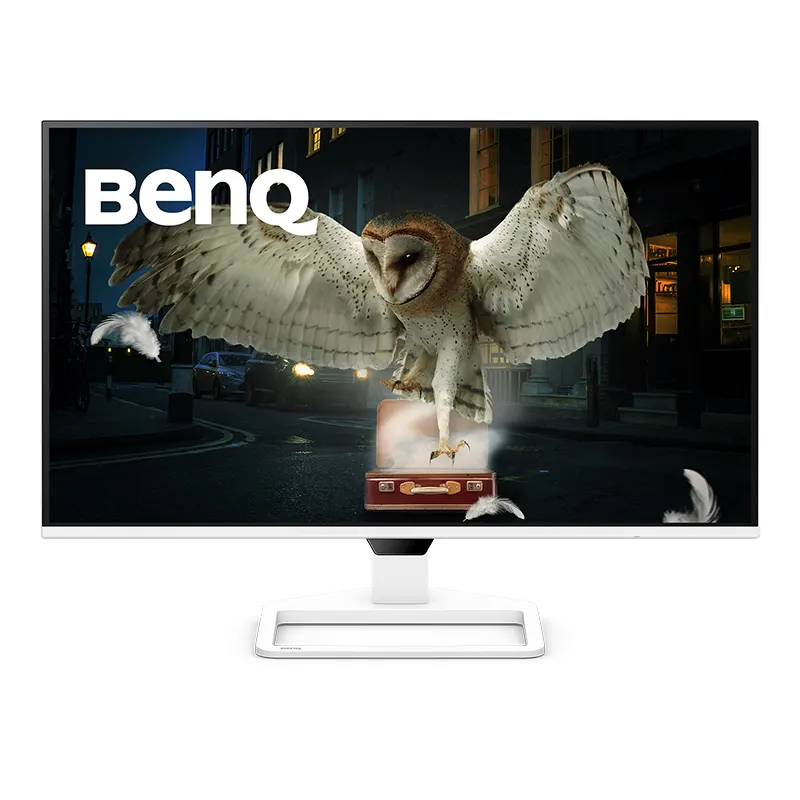
BenQ EW270Q 27-inch 2K QHD 200Hz IPS Home...
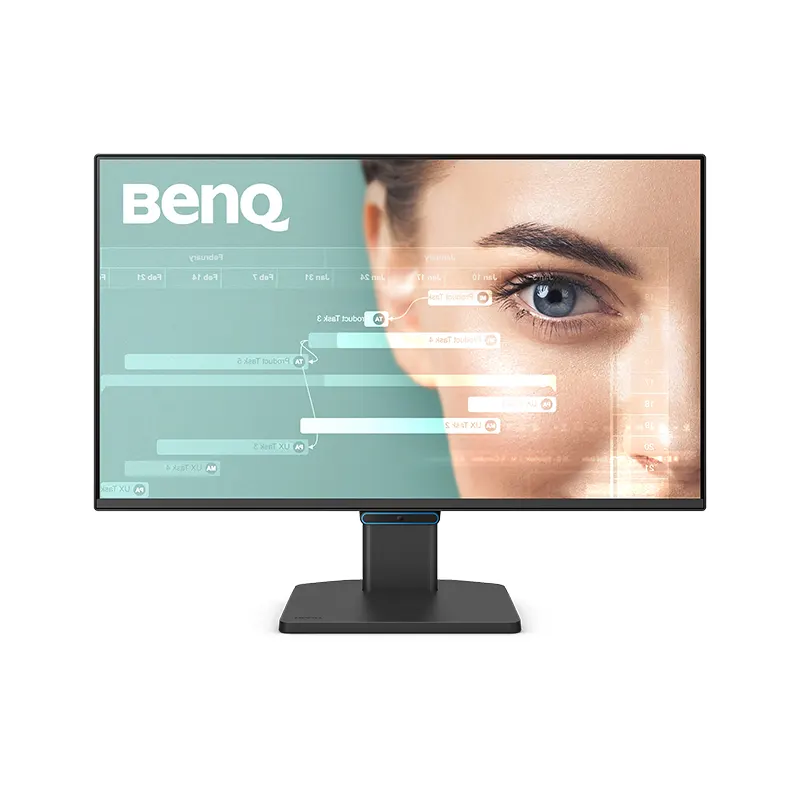
BenQ GW2490C | 23.8" FHD 144Hz Eye-Care US...
Product Reviews
Real feedback from verified customers
Be the first to share your experience.
